

Quantum Awesomeness
A Game to Benchmark Quantum Computers
Intro
This game is designed to run on any and all prototype devices capable of universal quantum computation. The better the device, the better the game will run. This therefore allows a simple and accessible way to assess and compare these prototypes.

The game consists of a series of rounds. Each has a puzzle like the one above, and each is a bit harder than the last.
Puzzles from higher rounds require higher depth circuits, and so build-up of noise contributes to an increase in difficulty. The number of rounds that the game remains playable for therefore depends on the noise levels of the device. Also, the complexity of the puzzles depends on the size and connectivity of the device that runs them. These properties mean that the game gives the player direct experience of the most important factors affecting the current generation of prototype quantum computers.
For more on the gritty details, see
- Benchmarking of quantum processors with random circuits (paper)
- Using a simple puzzle game to benchmark quantum computers (blog post)
- Kicking the tires of quantum processors (blog post)
How to play
The easiest way to play is to use the browser version here (though it might take a few attempts before it actually loads). Just press the run button, as highlighted in red in the image below.
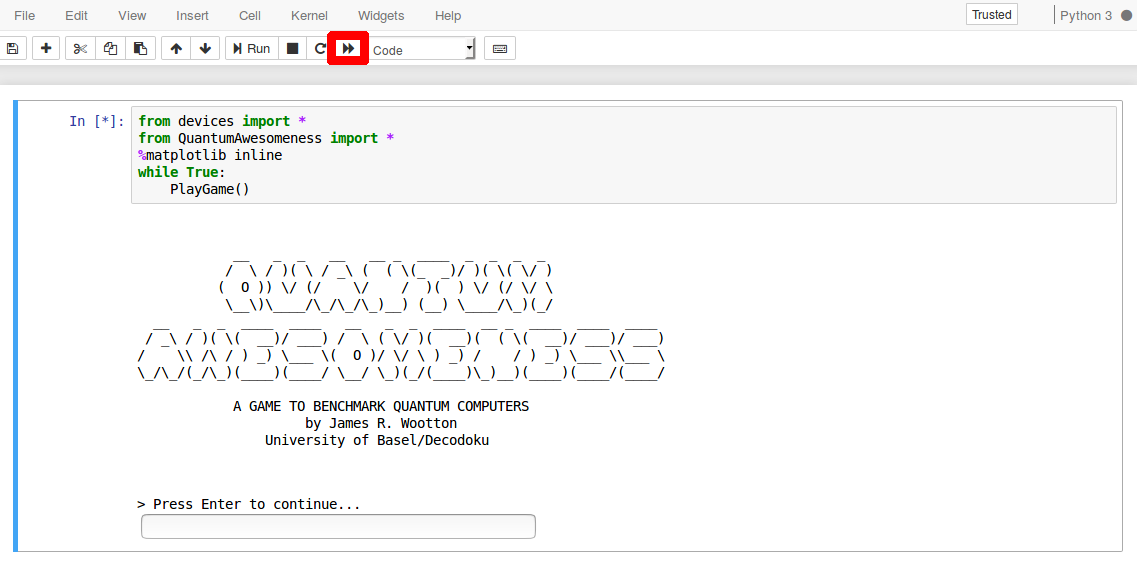
This version either simulates a game on the chosen device, or creates one using data that has already been extracted from the real quantum computer.
Contributing data
If you have a quantum device, please consider running this game and contributing the resulting data. This will allow the public to get some experience of how your device works, and how it compares to others.
If your device is already set up in devices.py, and the game already has support for your SDK, then all you need to do is run it! Do this with the Get_Data notebook. Just set the device variable to the name of your device, and then run all.
If your device is not already set up, but it is compatible with one of the supported SDKs (QISKit, ProjectQ, Forest and Cirq), then you need to add the specifications to devices.py. See the comments and examples in this file to see how to do this.
If you need to add a new SDK, this will need to be done in QuantumAwesomeness.py. Go through all the functions with the comment This function contains SDK specific code, and add the required code for your SDK.
To avoid the above, you can also manually mediate between the game and your device. To do this, set the SDK for your device in devices.py to be "ManualQISKit". This will print a QASM to screen when it wants to run a quantum job, and ask for the results to be pasted in.
Once you've added your device, your SDK, or even your data from a real device, make a pull reqeust so we can add it in.